Selection and Drag and Drop

Selection

The shapes package provides a mechanism for selecting shapes that is analogous to what is provided for graphic selection. See Selection for more information about graphic selection. The Shape class provides an option called shape-selectable, which serves the same purpose as Graphic.graphic-selectable. To enable selection on a shape, you set Shape.shape-selectable to ShapeSelectable, just as you would make a graphic selectable by setting Graphic.graphic-selectable to GraphicSelectable.
You also need to put the shape hierarchy in a SelectionContext. Just as you do for a graphic hierarchy, you use DiscreteGraphicSelectionFrame, or another subclass of DiscreteGraphicSelectionContext, to wrap the shape container in a selection context.
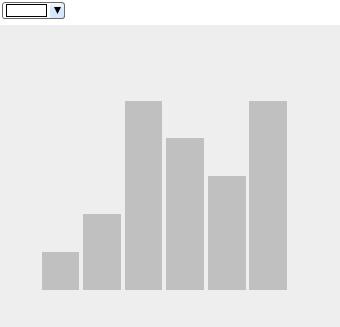
The following example shows a bar chart in which the bars are selectable. When bars are selected, a handler for SelectionChanged events on the DiscreteGraphicSelectionFrame makes them turn the color chosen in the ColorDropdown.

Example: Selecting RectangleShape
{import * from CURL.GUI.SHAPES}

{let cd:ColorDropdown = 
    {ColorDropdown}
}
{VBox
    spacing = 1mm,
    cd,
    {DiscreteGraphicSelectionFrame
        draw-style = "none",
        {Canvas
            width = 9cm,
            height = 8cm,
            background = "#eeeeee",
                    color = FillPattern.silver,
            {ShapeGroup
                translation = {Distance2d 0cm, 7cm},
                cursor = cursor-hand,
                {RectangleShape
                    {GRect 0cm, 1cm, 1cm, 0cm},
                    shape-selectable = {ShapeSelectable},
                    translation = {Distance2d (1.1cm * 1), 0cm}
                },
                {RectangleShape
                    {GRect 0cm, 1cm, 2cm, 0cm},
                    shape-selectable = {ShapeSelectable},
                    translation = {Distance2d (1.1cm * 2), 0cm}
                },
                {RectangleShape
                    {GRect 0cm, 1cm, 5cm, 0cm},
                    shape-selectable = {ShapeSelectable},
                    translation = {Distance2d (1.1cm * 3), 0cm}
                },
                {RectangleShape
                    {GRect 0cm, 1cm, 4cm, 0cm},
                    shape-selectable = {ShapeSelectable},
                    translation = {Distance2d (1.1cm * 4), 0cm}
                },
                {RectangleShape
                    {GRect 0cm, 1cm, 3cm, 0cm},
                    shape-selectable = {ShapeSelectable},
                    translation = {Distance2d (1.1cm * 5), 0cm}
                },
                {RectangleShape
                    {GRect 0cm, 1cm, 5cm, 0cm},
                    shape-selectable = {ShapeSelectable},
                    translation = {Distance2d (1.1cm * 6), 0cm}
                }
            }
        },
        {on event:SelectionChanged at cx:DiscreteGraphicSelectionFrame do
            {for s:ShapeSelectable in cx.selection.items do
                set s.shape.color = cd.value
            }
        }        
    }
}
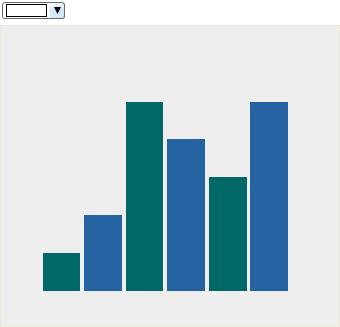
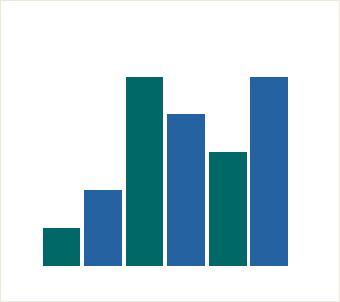
In the following example, the bars are grouped in two ShapeGroup objects. One set of bars inherits blue color from the ShapeGroup, the other green. Selecting any bar selects all bars in the group.

Example: Selecting a ShapeGroup
{import * from CURL.GUI.SHAPES}

{let cd:ColorDropdown = 
    {ColorDropdown}
}
{VBox
    spacing = 1mm,
    cd,
    {DiscreteGraphicSelectionFrame
        draw-style = "mask",
        {Canvas
            width = 9cm,
            height = 8cm,
            border-width = 1px,
            background = "#eeeeee",
            {ShapeGroup
                cursor = cursor-hand,
                translation = {Distance2d 0cm, 7cm},
                color = "#2462a2", || blue
                shape-selectable = {ShapeSelectable},
                {RectangleShape
                    {GRect 0cm, 1cm, 2cm, 0cm},
                    translation = {Distance2d (1.1cm * 2), 0cm}
                },
                {RectangleShape
                    {GRect 0cm, 1cm, 4cm, 0cm},
                    translation = {Distance2d (1.1cm * 4), 0cm}
                },
                {RectangleShape
                    {GRect 0cm, 1cm, 5cm, 0cm},
                    translation = {Distance2d (1.1cm * 6), 0cm}
                }
            },
            {ShapeGroup
                cursor = cursor-hand,
                translation = {Distance2d 0cm, 7cm},
                shape-selectable = {ShapeSelectable},
                color = "#006968", || green
                {RectangleShape
                    {GRect 0cm, 1cm, 1cm, 0cm},
                    translation = {Distance2d (1.1cm * 1), 0cm}
                },
                {RectangleShape
                    {GRect 0cm, 1cm, 5cm, 0cm},
                    translation = {Distance2d (1.1cm * 3), 0cm}
                },

                {RectangleShape
                    {GRect 0cm, 1cm, 3cm, 0cm},
                    translation = {Distance2d (1.1cm * 5), 0cm}
                }
            }
        },
        {on event:SelectionChanged at cx:DiscreteGraphicSelectionFrame do
            {for s:ShapeSelectable in cx.selection.items do
                set s.shape.color = cd.value
            }
        }        
    }
}

Drag and Drop

The shapes package provides a drag-and-drop mechanism analogous to drag-and-drop for graphics. See Drag and Drop for more information about using drag and drop with graphics. The Shape class inherits the local option dragee from Visual, just as graphics do. To make a shape that can be dragged, set dragee to ShapeDragee, just as you would set the dragee property of a graphic to ImageDragee. You need to provide drag-and-drop event handlers just as you do when using drag and drop with graphics.
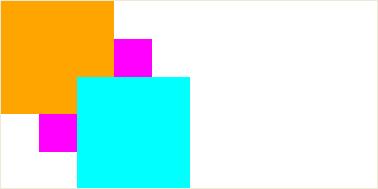
The following example allows you to drag RectangleShapes in a Canvas and drop them at another point on the Canvas. The drag-over-handler indicates that the shapes can be moved. The drop-handler performs the move operation by adjusting the translation of the dragged shape.
Note that the example sets the property opaque-to-events? to true, which makes the entire canvas receive events, rather than just the area containing its children.

Example: Drag and Drop Shapes
{import * from CURL.GUI.SHAPES}
{let drag-over-handler:EventHandler =
    {on e:DragOver do
        {e.will-accept-drop?
            {proc {a:Type,
                   b:Distance,
                   c:Distance,
                   d:#DragEffect
                  }:DragEffect
                {return drag-effect-move}
            } } } 
}
{let drop-handler:EventHandler =
    {on e:Drop at c:Canvas do
        {e.accept-drop
            {proc
                {w:any,
                 x:Distance,
                 y:Distance,
                 z:#DragEffect
                }:DropResult
                {return
                    {DropResultMove
                        action =
                            {proc {}:void
                                || As of 7.0, you can use the same technique for computing the
                                || drop position with Shapes, Graphics, or any other objects.
                                let dragee:Dragee = {non-null w.dragee}
                                || Compute the new position in the drop container:
                                let (real-x:Distance, real-y:Distance) =
                                    {dragee.get-drop-position x, y, c}
                                {c.add w, x = real-x, y = real-y}
                            }
                    } } } } }
}
{value
    let rectangle-shape:RectangleShape =
        {RectangleShape
            {GRect 0cm, 3cm, 0cm, 3cm},
            cursor = cursor-hand,
            color = FillPattern.magenta,
            dragee = {ShapeDragee},
            translation = {Distance2d 1cm, 1cm}
        }
    let rectangle-shape1:RectangleShape =
        {RectangleShape
            {GRect 0cm, 3cm, 0cm, 3cm},
            cursor = cursor-hand,
            dragee = {ShapeDragee},
            color = FillPattern.orange
        }
    let rectangle-shape2:RectangleShape =
        {RectangleShape
            {GRect 0cm, 3cm, 0cm, 3cm},
            cursor = cursor-hand,
            dragee = {ShapeDragee},
            color = FillPattern.cyan,
            translation = {Distance2d 2cm, 2cm}
        }
    let can:Canvas = 
        {Canvas
            width = 10cm,
            height = 5cm,
            border-width = 1px,
            opaque-to-events? = true,
            drag-over-handler,
            drop-handler,
            rectangle-shape,
            rectangle-shape1,
            rectangle-shape2
        }
    can
}
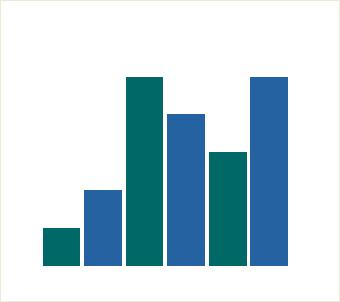
The dragee can be a ShapeGroup. In that case, all children of the group drag and drop together, as illustrated by the following example. The bars in the bar chart are grouped according to color.
Note that the example sets the property opaque-to-events? to true, which makes the entire canvas receive events, rather than just the area containing its children.

Example: Drag and Drop a ShapeGroup
{import * from CURL.GUI.SHAPES}
{let drag-over-handler:EventHandler =
    {on e:DragOver do
        {e.will-accept-drop?
            {proc {a:Type,
                   b:Distance,
                   c:Distance,
                   d:#DragEffect
                  }:DragEffect
                {return drag-effect-move}
            } } }
}

{let drop-handler:EventHandler =
    {on e:Drop at c:Canvas do
        {e.accept-drop
            {proc
                {w:any,
                 x:Distance,
                 y:Distance,
                 z:#DragEffect
                }:DropResult
                {return
                    {DropResultMove
                        action =
                            {proc {}:void
                                || As of 7.0, you can use the same technique for computing the
                                || drop position with Shapes, Graphics, or any other objects.
                                let dragee:Dragee = {non-null w.dragee}
                                || Compute the new position in the drop container:
                                let (real-x:Distance, real-y:Distance) =
                                    {dragee.get-drop-position x, y, c}
                                {c.add w, x = real-x, y = real-y}
                            } } } } } }
}

{Canvas
    width = 9cm,
    height = 8cm,
    opaque-to-events? = true,
    drag-over-handler,
    drop-handler,
    border-width = 1px,
    {ShapeGroup
        cursor = cursor-hand,
        translation = {Distance2d 0cm, 7cm},
        dragee = {ShapeDragee},
        shape-selectable = {ShapeSelectable},
        color = "#2462a2",
        {RectangleShape
            {GRect 0cm, 1cm, 2cm, 0cm},
            translation = {Distance2d (1.1cm * 2), 0cm}
        },
        {RectangleShape
            {GRect 0cm, 1cm, 4cm, 0cm},
            translation = {Distance2d (1.1cm * 4), 0cm}
        },
        {RectangleShape
            {GRect 0cm, 1cm, 5cm, 0cm},
            translation = {Distance2d (1.1cm * 6), 0cm}
        }
    },
    {ShapeGroup
        cursor = cursor-hand,
        translation = {Distance2d 0cm, 7cm},
        dragee = {ShapeDragee},
        shape-selectable = {ShapeSelectable},
            color = "#006968",
        {RectangleShape
            {GRect 0cm, 1cm, 1cm, 0cm},
            translation = {Distance2d (1.1cm * 1), 0cm}
        },
        {RectangleShape
            {GRect 0cm, 1cm, 5cm, 0cm},
            translation = {Distance2d (1.1cm * 3), 0cm}
        },

        {RectangleShape
            {GRect 0cm, 1cm, 3cm, 0cm},
            translation = {Distance2d (1.1cm * 5), 0cm}
        }
    }
}
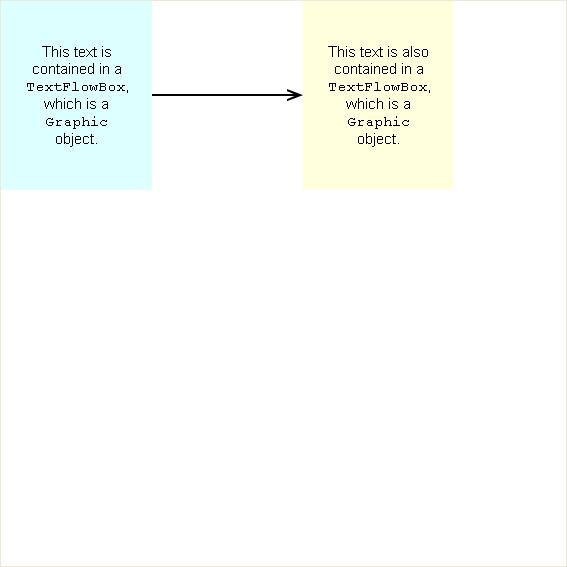
In the following example, the drop handler moves the dropped rectangle and recalculates the position of the arrow head pointing to it. The handler needs to find the arrow so it can perform this calculation. The arrow is assigned the name "arrow", and the drop handler iterates through all of the shapes in the canvas until it finds the one with the name "arrow".
Drag the yellow RectangleShape and note that the arrow follows the shape as you drag it.
Note that the example sets the property opaque-to-events? to true, which makes the entire canvas receive events, rather than just the area containing its children.

Example: Arrow Follows a Dragged Shape
{import * from CURL.GUI.SHAPES}
{let drag-over-handler:EventHandler =
    {on e:DragOver do
        {e.will-accept-drop?
            {proc {a:Type,
                   b:Distance,
                   c:Distance,
                   d:#DragEffect
                  }:DragEffect
                {return drag-effect-move}
            }
        }
    }
}
{let drop-handler:EventHandler =
    {on e:Drop at c:Canvas do
        {e.accept-drop
            {proc
                {w:any,
                 x:Distance,
                 y:Distance,
                 z:#DragEffect
                }:DropResult
                {return
                    {DropResultMove
                        action =
                            {proc {}:void
                                || As of 7.0, you can use the same technique for computing the
                                || drop position with Shapes, Graphics, or any other objects.
                                let dragee:Dragee = {non-null w.dragee}
                                || Compute the new position in the drop container:
                                let (real-x:Distance, real-y:Distance) =
                                    {dragee.get-drop-position x, y, c}
                                {c.add w, x = real-x, y = real-y}

                                {for s:Shape in c.shape-children do
                                    {if s.name == "arrow" then
                                        def a = s asa ArrowShape
                                        || Here we assume that a's coordinate system is the same
                                        || as that of w's parent, as a shortcut.
                                        set a.head = {Distance2d real-x - 2cm, real-y}
                                    }
                                }
                            }
                    }
                }
            }
        }
    }
}
{let txt1:TextFlowBox = 
    {TextFlowBox
        width = 2.7cm,
        horigin = "center",
        vorigin = "center",
        {paragraph
            paragraph-justify = "center", 
            This text is contained in a 
            {monospace TextFlowBox}, which is a 
            {monospace Graphic} object.
        },
        color = FillPattern.black
    }
}
{let txt2:TextFlowBox = 
    {TextFlowBox
        width = 2.7cm,
        horigin = "center",
        vorigin = "center",
        {paragraph
            paragraph-justify = "center", 
            This text is also contained in a 
            {monospace TextFlowBox}, which is a 
            {monospace Graphic} object.
        },
        color = FillPattern.black
    }
}
{let rect1:RectangleShape = 
    {RectangleShape
        {GRect 2cm, 2cm, 2.5cm, 2.5cm},
        color = "#ddffff",
        font-size = 11pt
    }
}
{let rect2:RectangleShape = 
    {RectangleShape
        {GRect 2cm, 2cm, 2.5cm, 2.5cm},
        cursor = cursor-hand,
        color = "#ffffdd",
        dragee = {ShapeDragee},
        font-size = 11pt
    }
}
{let arr:ArrowShape = 
    {ArrowShape
        {Distance2d 4cm, 2.5cm},
        {Distance2d 8cm, 2.5cm},
        arrow-body-width = 1px,
        arrow-head-width = 11px,
        arrow-head-style = ArrowStyle.simple,
        arrow-tail-style = ArrowStyle.none,
        name = "arrow"
    }
}
{value 
    {rect1.add txt1}
    {rect2.add txt2}
    {rect1.apply-translation 2cm, 2.5cm}
    {rect2.apply-translation 10cm, 2.5cm}
    {Canvas
        width = 15cm, height = 15cm,
        opaque-to-events? = true,
        border-width = 1px,
        drag-over-handler,
        drop-handler,
        rect1,
        rect2,
        arr
    }
}

Using Selection with Drag and Drop

You can use selection and drag and drop together, to enable the user to select a shapes to drag. In the following example, the Canvas with its drop-handler and drag-over-handler, is placed in a DiscreteGraphicSelectionFrame. Each of the rectangles in the Canvas is a ShapeDragee. As a result, you can select one or more bars in the chart, then use a drag and drop gesture to move them together. The example uses draw-style = "mask" to indicate what bars are selected.
Note that the example sets the property opaque-to-events? to true, which makes the entire canvas receive events, rather than just the area containing its children.

Example: Drag and Drop with Selected Shapes
{import * from CURL.GUI.SHAPES}

{let drag-over-handler:EventHandler =
    {on e:DragOver do
        {e.will-accept-drop?
            {proc {a:Type,
                   b:Distance,
                   c:Distance,
                   d:#DragEffect
                  }:DragEffect
                {return drag-effect-move}
            } } }
}
{let drop-handler:EventHandler =
    {on e:Drop at c:Canvas do
        {e.accept-drop
            {proc
                {w:any,
                 x:Distance,
                 y:Distance,
                 z:#DragEffect
                }:DropResult
                {return
                    {DropResultMove
                        action =
                            {proc {}:void
                                || As of 7.0, you can use the same technique for computing the
                                || drop position with Shapes, Graphics, or any other objects.
                                let dragee:Dragee = {non-null w.dragee}
                                || Compute the new position in the drop continer:
                                let (real-x:Distance, real-y:Distance) =
                                    {dragee.get-drop-position x, y, c}
                                {c.add w, x = real-x, y = real-y}
                            } } } } } }
}
{DiscreteGraphicSelectionFrame
    draw-style = "mask",
    {Canvas
        width = 9cm,
        height = 8cm,
        opaque-to-events? = true,
        border-width = 1px,
        drag-over-handler,
        drop-handler,
        {RectangleShape
            {GRect 0cm, 1cm, 2cm, 0cm},
            dragee = {ShapeDragee},
            shape-selectable = {ShapeSelectable},
            color = "#2462a2",
            translation = {Distance2d (1.1cm * 2), 7cm}
        },
        {RectangleShape
            {GRect 0cm, 1cm, 4cm, 0cm},
            dragee = {ShapeDragee},
            shape-selectable = {ShapeSelectable},
            color = "#2462a2",
            translation = {Distance2d (1.1cm * 4), 7cm}
        },
        {RectangleShape
            {GRect 0cm, 1cm, 5cm, 0cm},
            dragee = {ShapeDragee},
            shape-selectable = {ShapeSelectable},
            color = "#2462a2",
            translation = {Distance2d (1.1cm * 6), 7cm}
        },
        {RectangleShape
            {GRect 0cm, 1cm, 1cm, 0cm},
            dragee = {ShapeDragee},
            shape-selectable = {ShapeSelectable},
            color = "#006968",
            translation = {Distance2d (1.1cm * 1), 7cm}
        },
        {RectangleShape
            {GRect 0cm, 1cm, 5cm, 0cm},
            dragee = {ShapeDragee},
            shape-selectable = {ShapeSelectable},
            color = "#006968",
            translation = {Distance2d (1.1cm * 3), 7cm}
        },

        {RectangleShape
            {GRect 0cm, 1cm, 3cm, 0cm},
            dragee = {ShapeDragee},
            shape-selectable = {ShapeSelectable},
            color = "#006968",
            translation = {Distance2d (1.1cm * 5), 7cm}
        }
    }
}