Defines a text format, based on an already existing one.
Syntax
{define-text-format [] as
[with
=,
=]
}
access: The protection attribute. It specifies the items that can access this text format. The protection attribute can be public, library, or package. If you want to allow all Curl code to call this text format, specify public. If you want to allow only Curl code in the same package to call this text format, specify package. A detailed discussion on access control is provided in the section Curl Classes chapter of the Curl Developer's Guide. If is not specified, the protection attribute defaults to package.
new-text-format: The name of the text format you want to define.
base-text-format: An already existing text format.
option, value: character or paragraph options and valid values for each option. If base-text-format is a paragraph format, then are the paragraph options relevant.
Description
If you do not specify any options, the newly defined text format will have the exact characteristics of the base text format.
Character Options
You can define a text format with any of the following character options.
Paragraph Options
If the text format you are defining is based on a paragraph format, you can define it with any of the following paragraph options.
Example
The following example shows the definition of a new blue-lotso-spacing-para text format, based on paragraph , the core paragraph format.
| Example | |
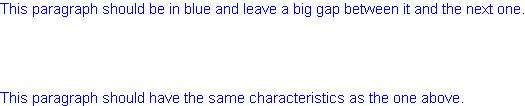 | |
{define-text-format public blue-lotso-spacing-para as
    paragraph with
    paragraph-before-spacing=0.75in,
    paragraph-after-spacing=0.75in,
    color="blue"}
{blue-lotso-spacing-para This paragraph should be in
    blue and leave a big gap between it and the next one.}
{blue-lotso-spacing-para This paragraph should have the
    same characteristics as the one above.}
|